Search for plans, carriers, and articles
You need your transfer PIN to port your T-Mobile phone number to a new carrier.

A number transfer PIN is a special six-digit PIN that is used when you want to transfer your phone number from one carrier to another.
Your new carrier will request your transfer PIN to verify your identify and authenticate your number transfer request.
You can generate your T-Mobile transfer PIN either through the T-Life application or through the T-Mobile website.
Follow the steps below to generate your T-Mobile transfer PIN using the T-Life application:
Step 1: Download the T-Life application for iPhone or Android.
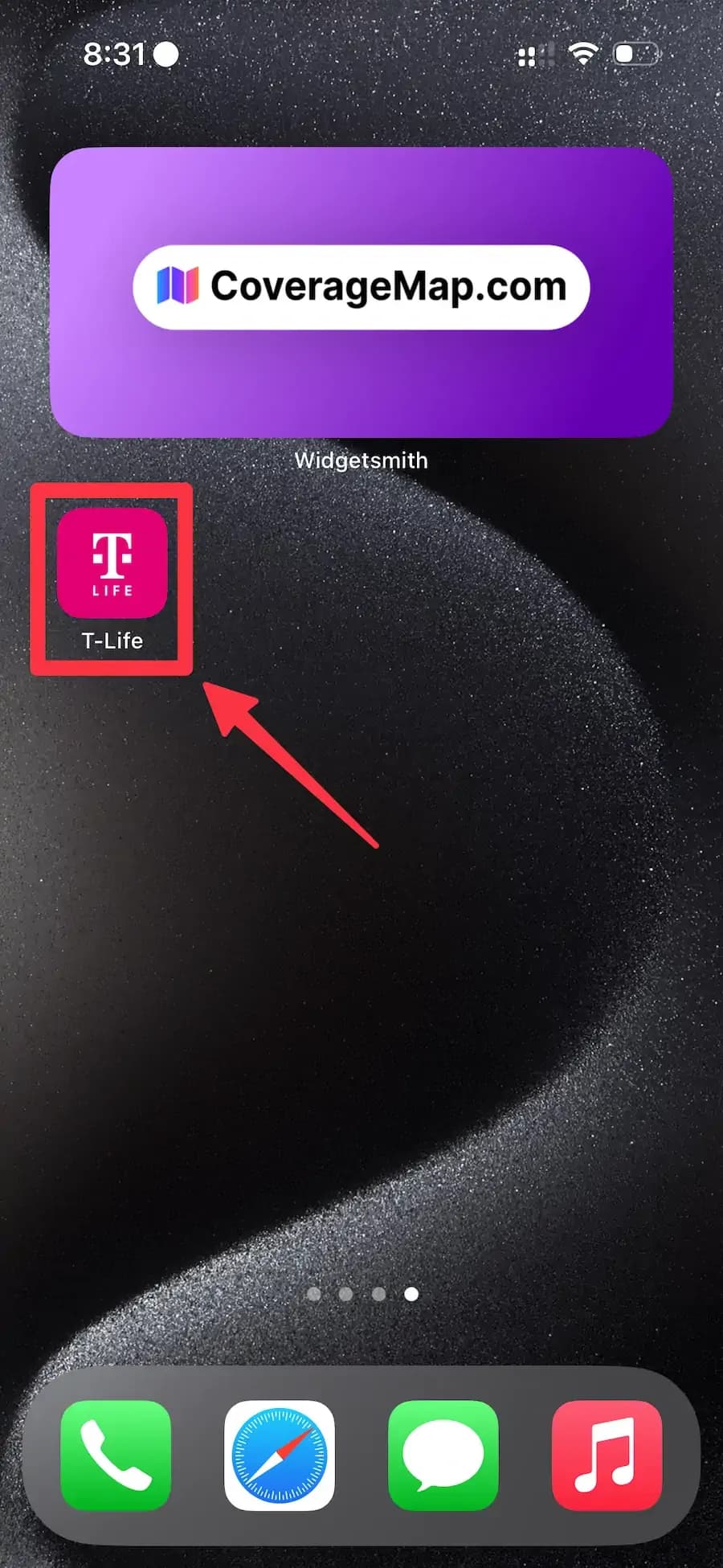
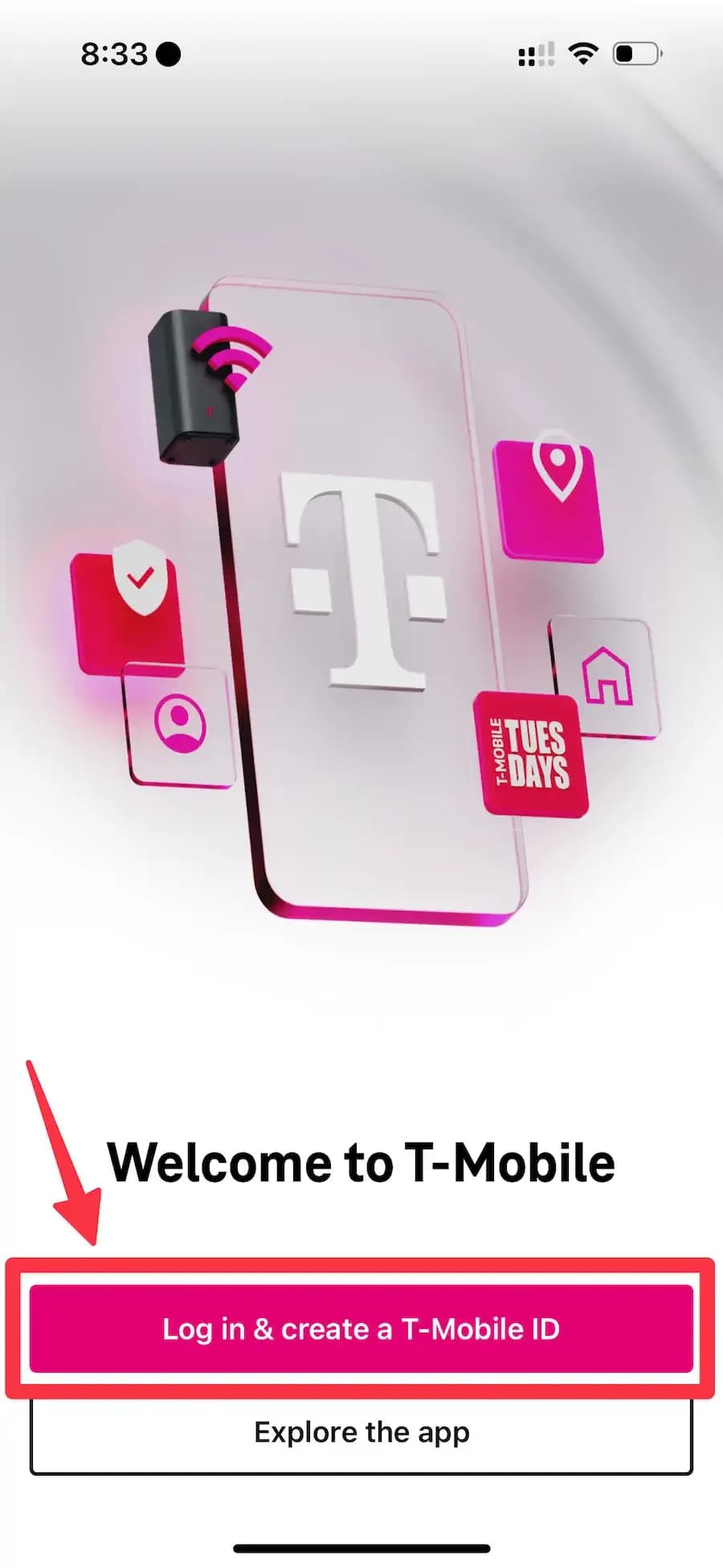
Step 2: Sign in to your account.
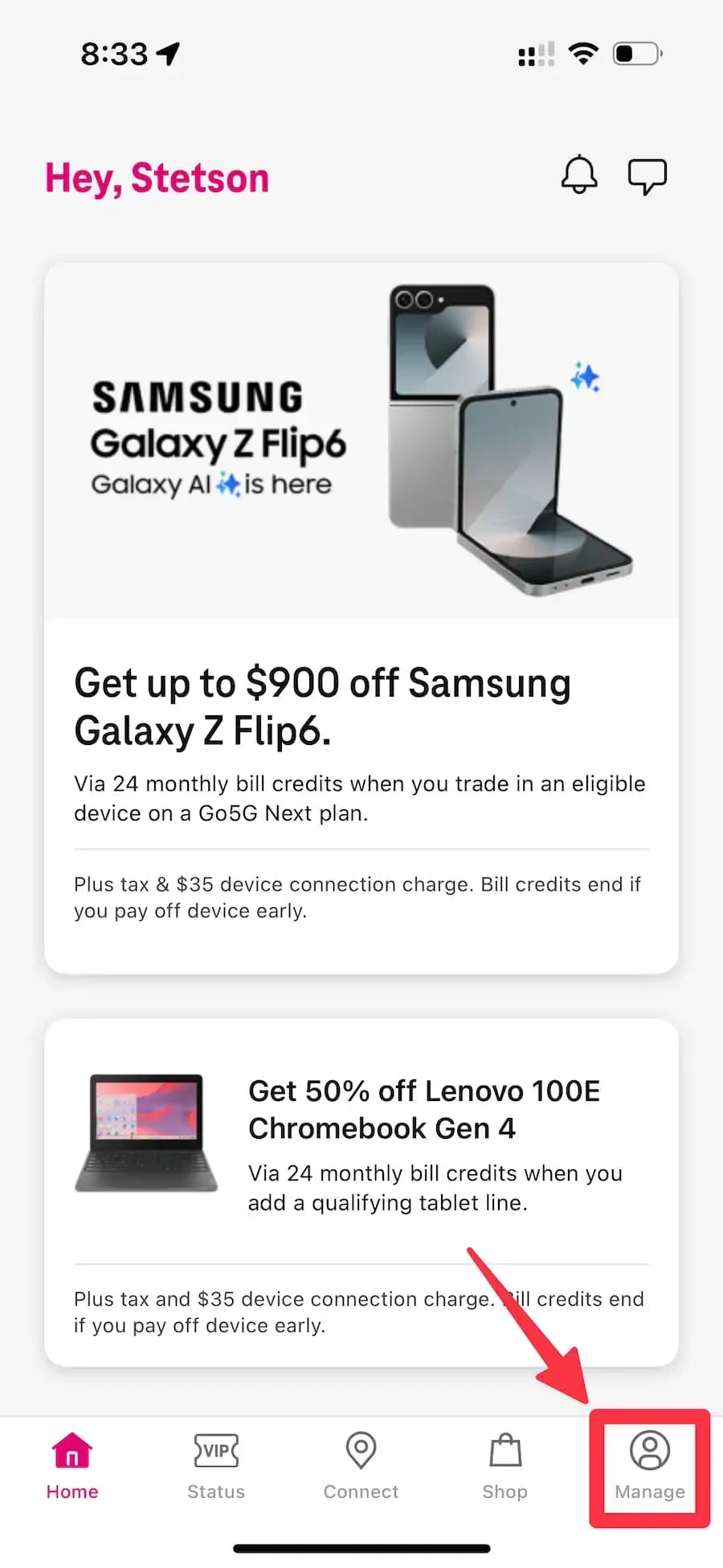
Step 3: Go to the Manage tab.
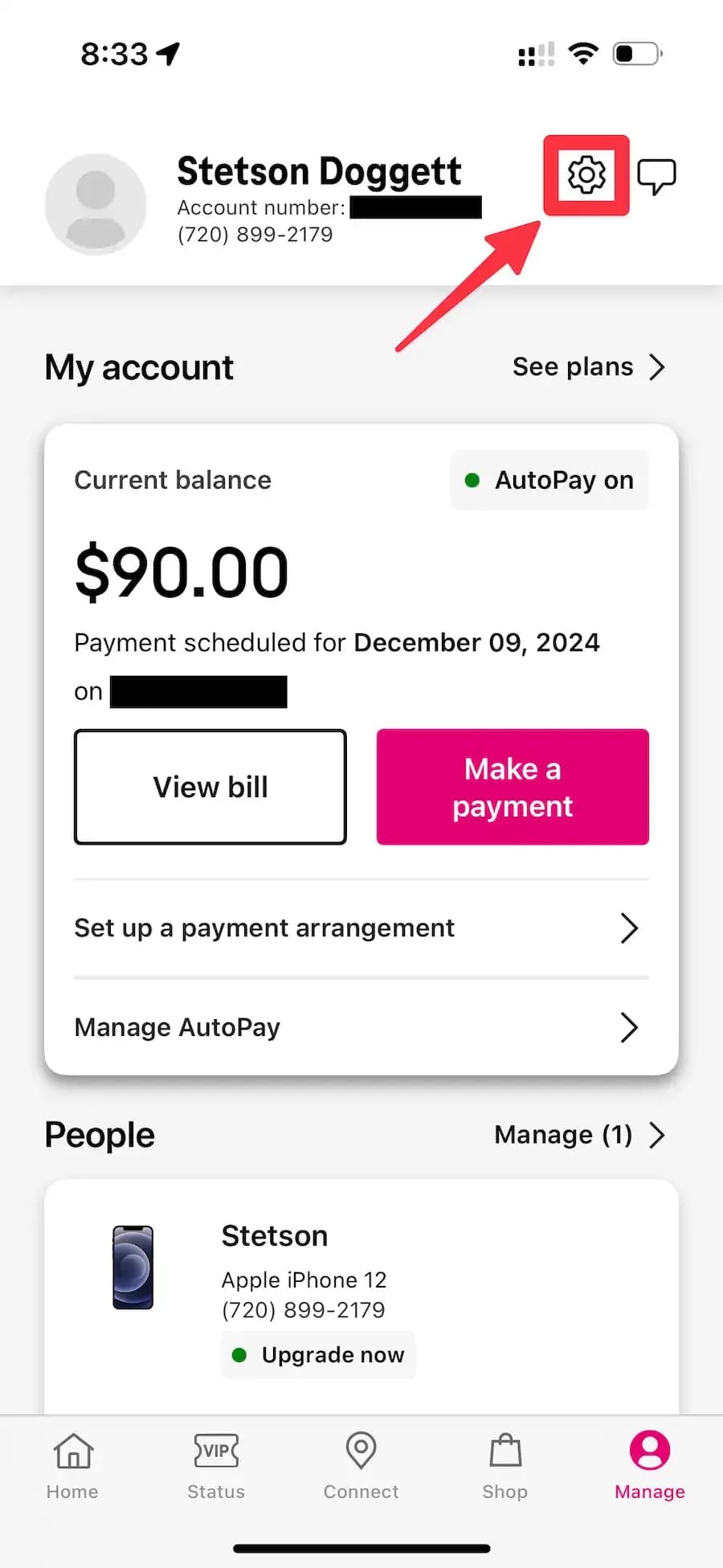
Step 4: Tap the settings icon in the top right-hand corner.
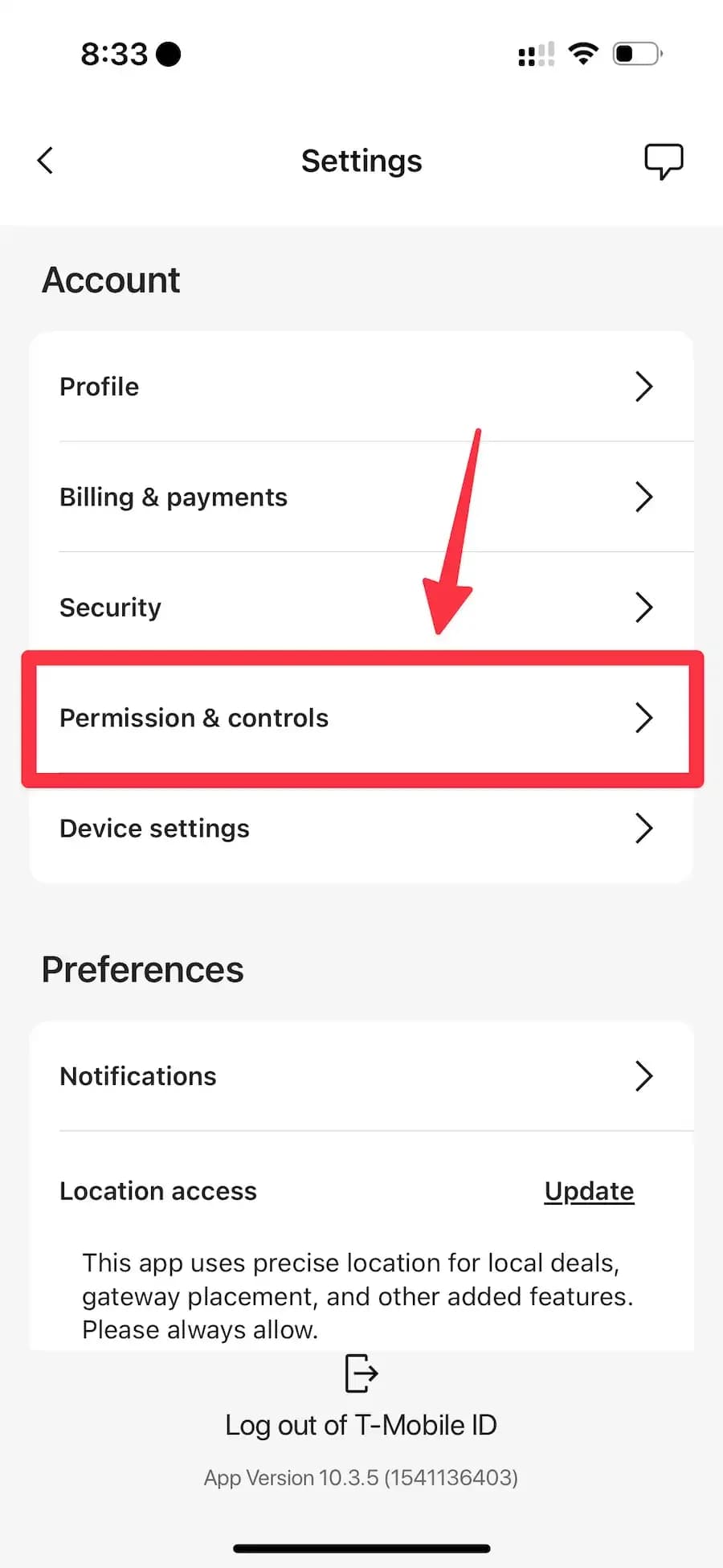
Step 5: Tap Permissions & controls.
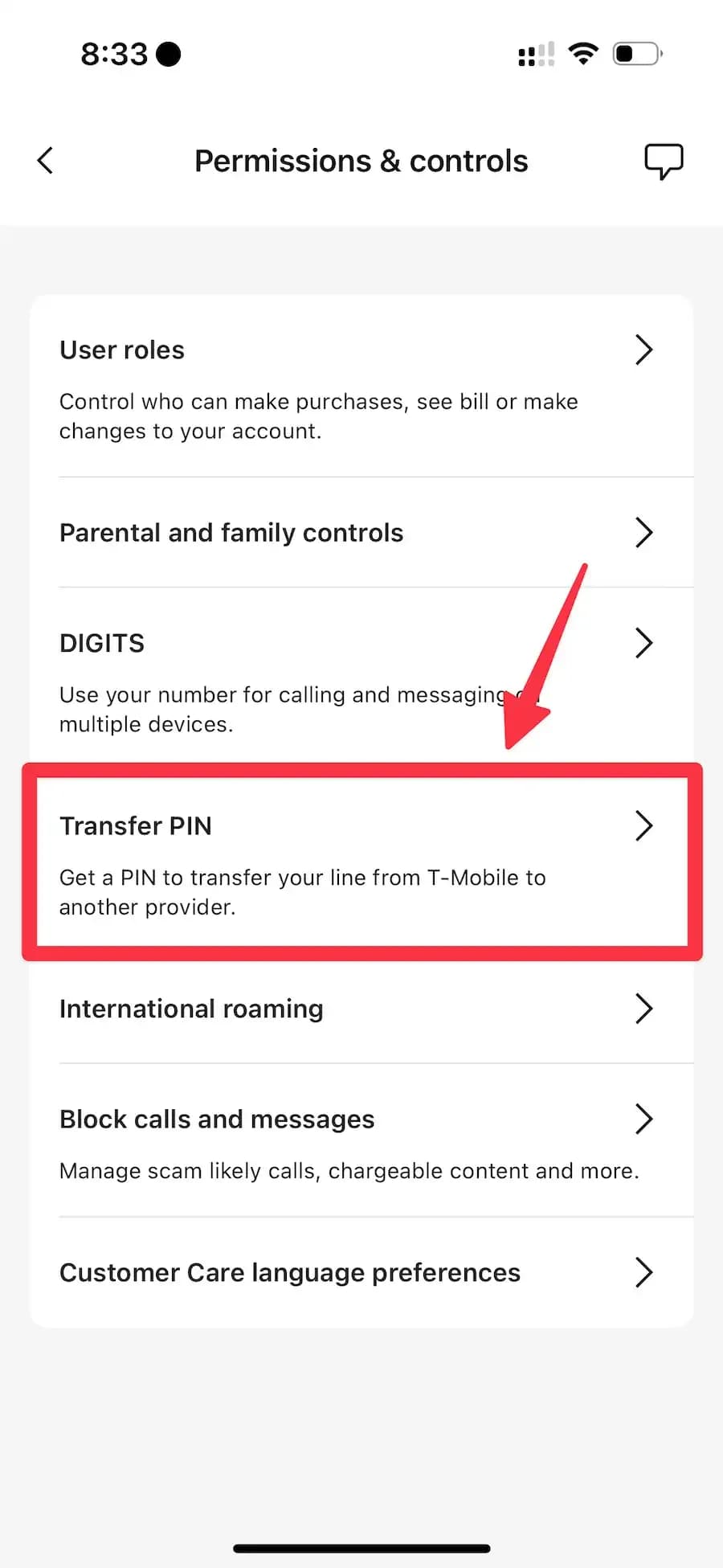
Step 6: Tap Transfer PIN.
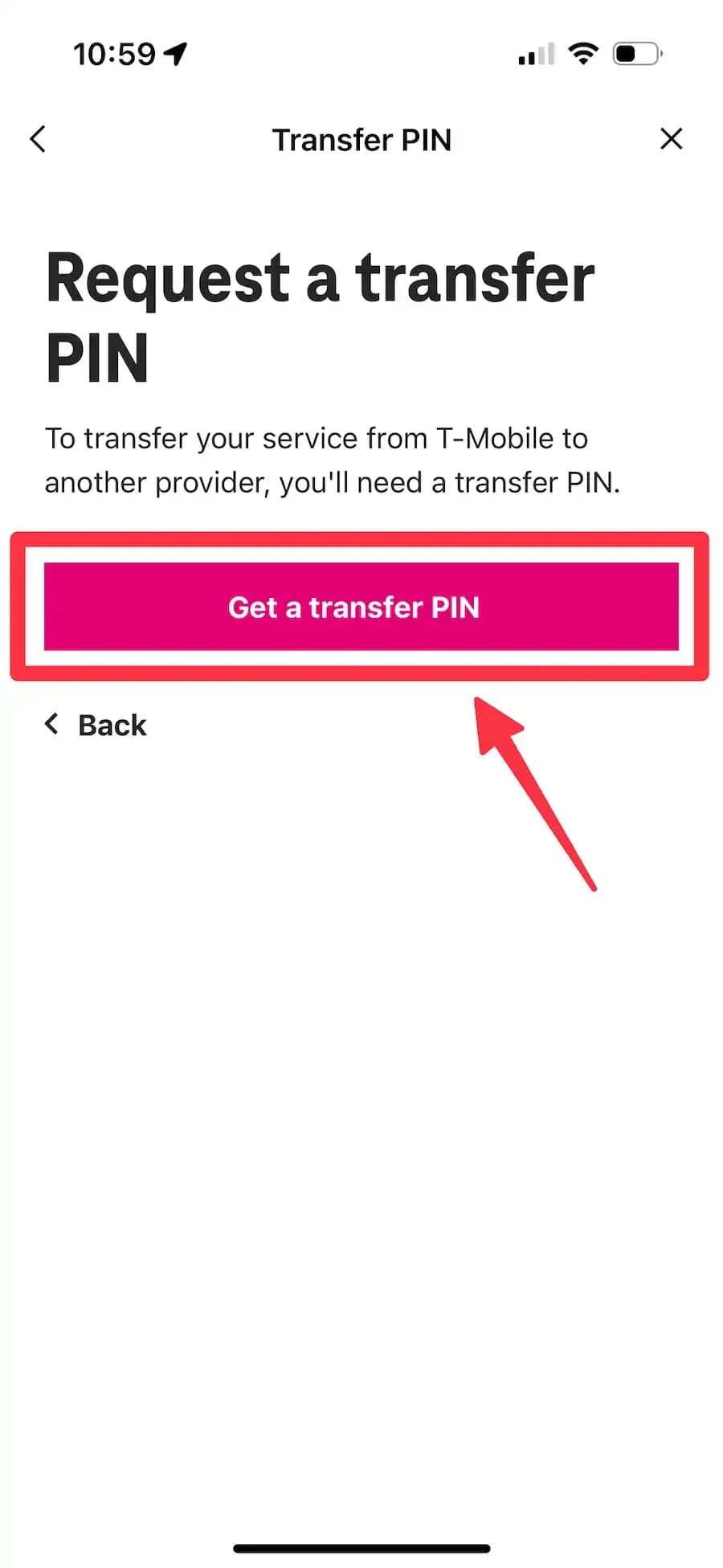
Step 7: Tap Get a transfer PIN.
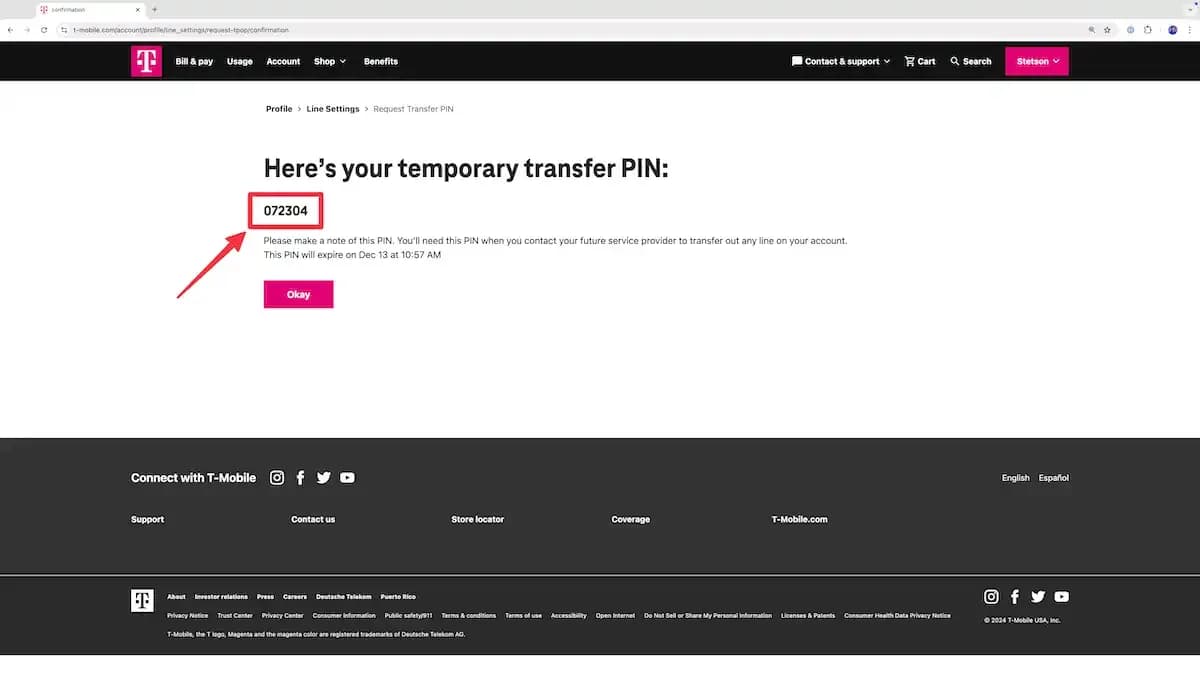
Step 8: T-Mobile will generate your six-digit transfer PIN. Your transfer PIN will be valid for 7 days after it is generated.
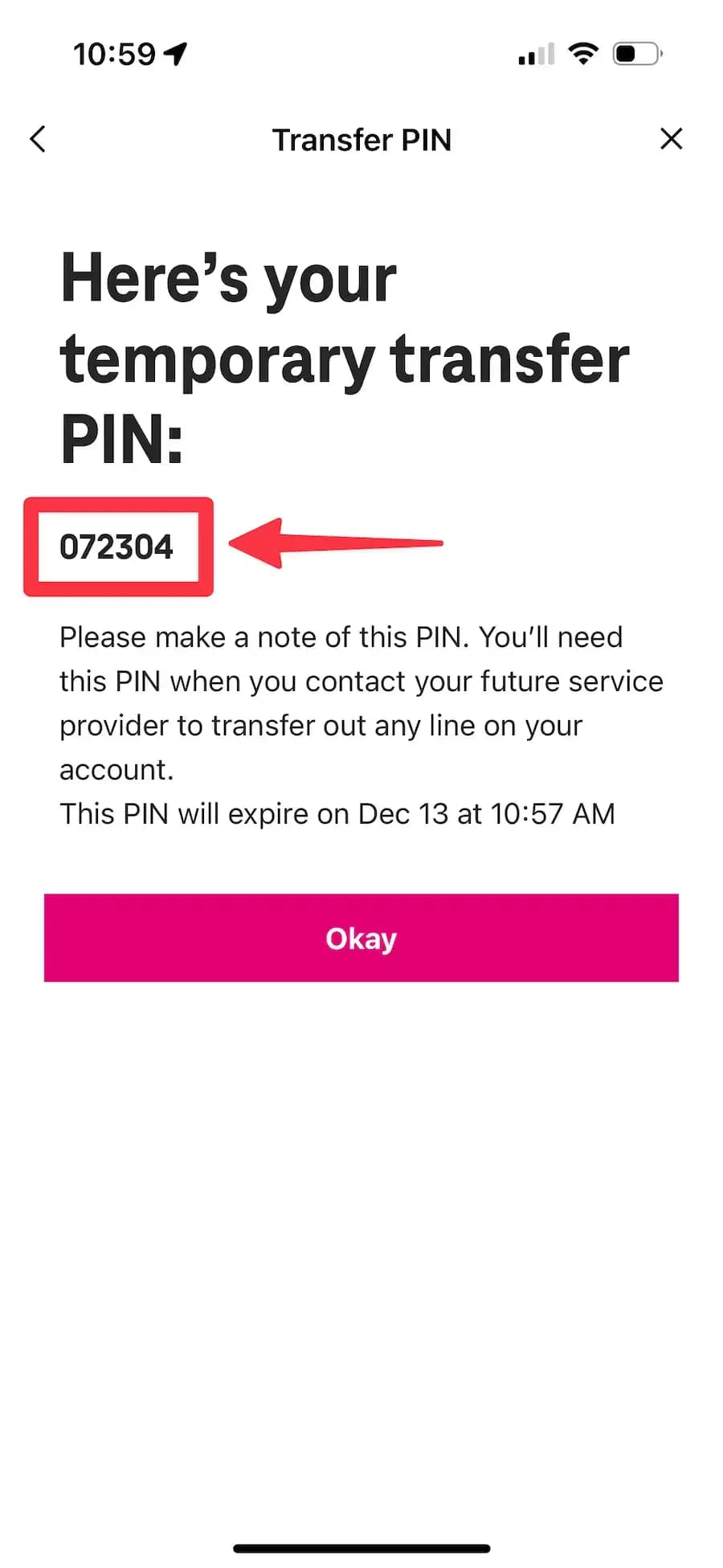
Follow the steps below to generate your T-Mobile transfer PIN using the desktop website.
Step 1: Go to t-mobile.com.
Step 2: Sign in to your T-Mobile account.

Step 3: Click Edit Profile settings.
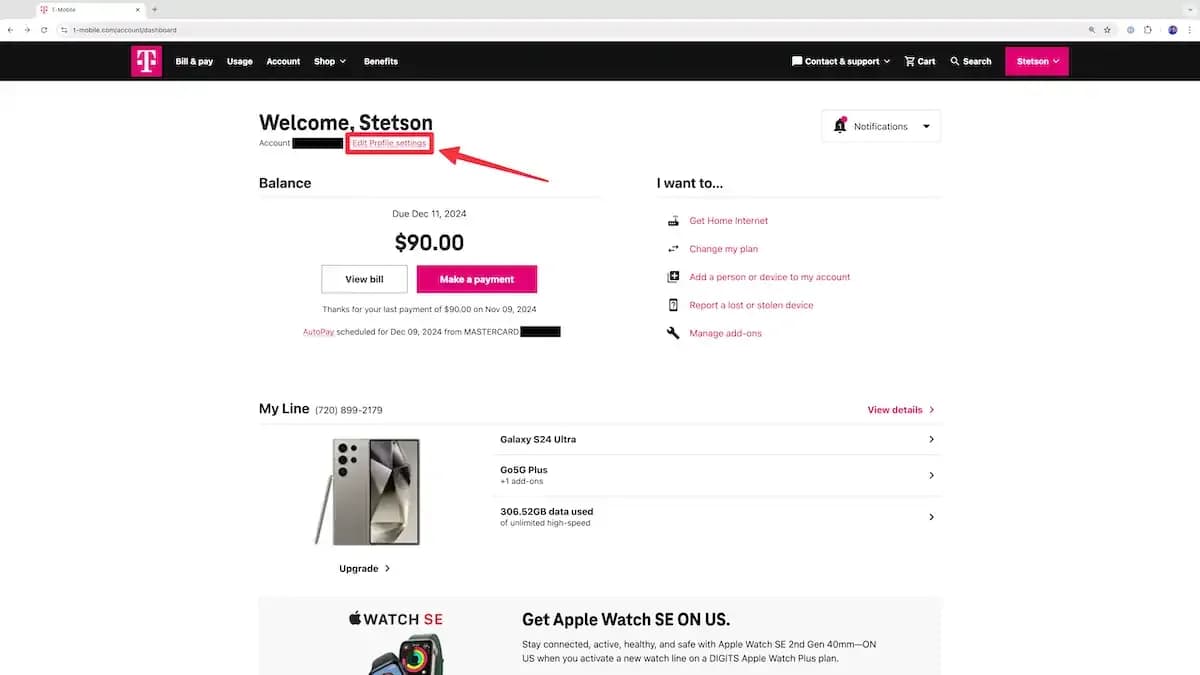
Step 4: Click Line Settings.
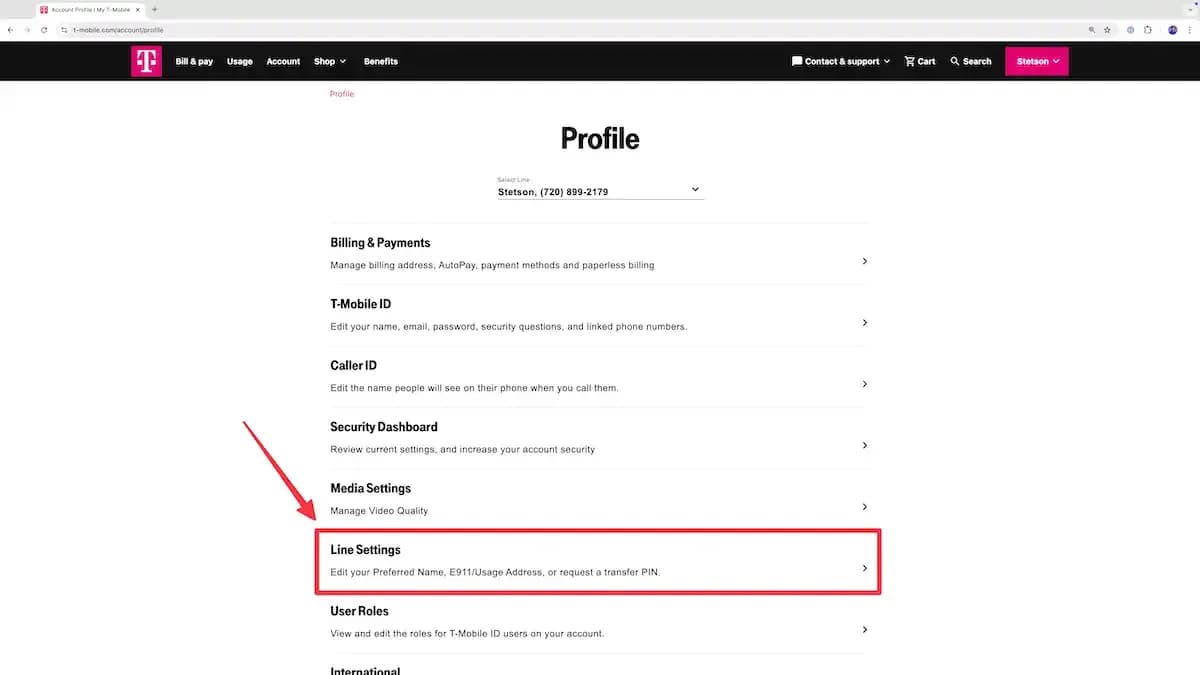
Step 5: Click Request a transfer PIN.
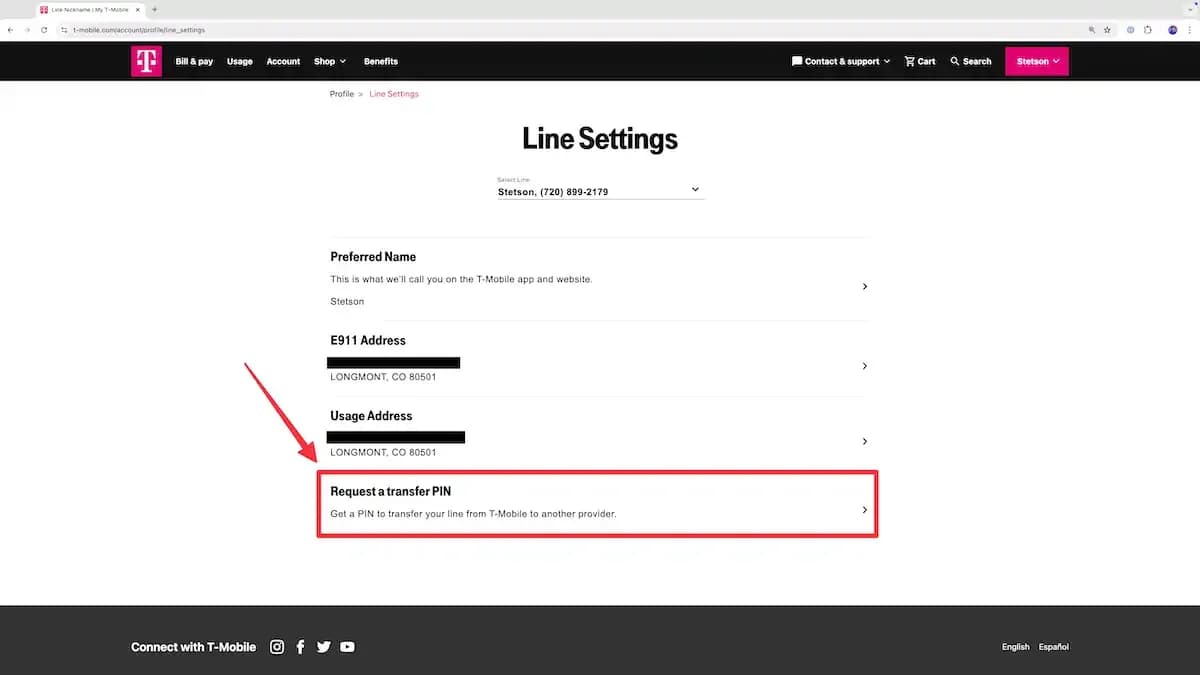
Step 6: Log in to your account a second time.
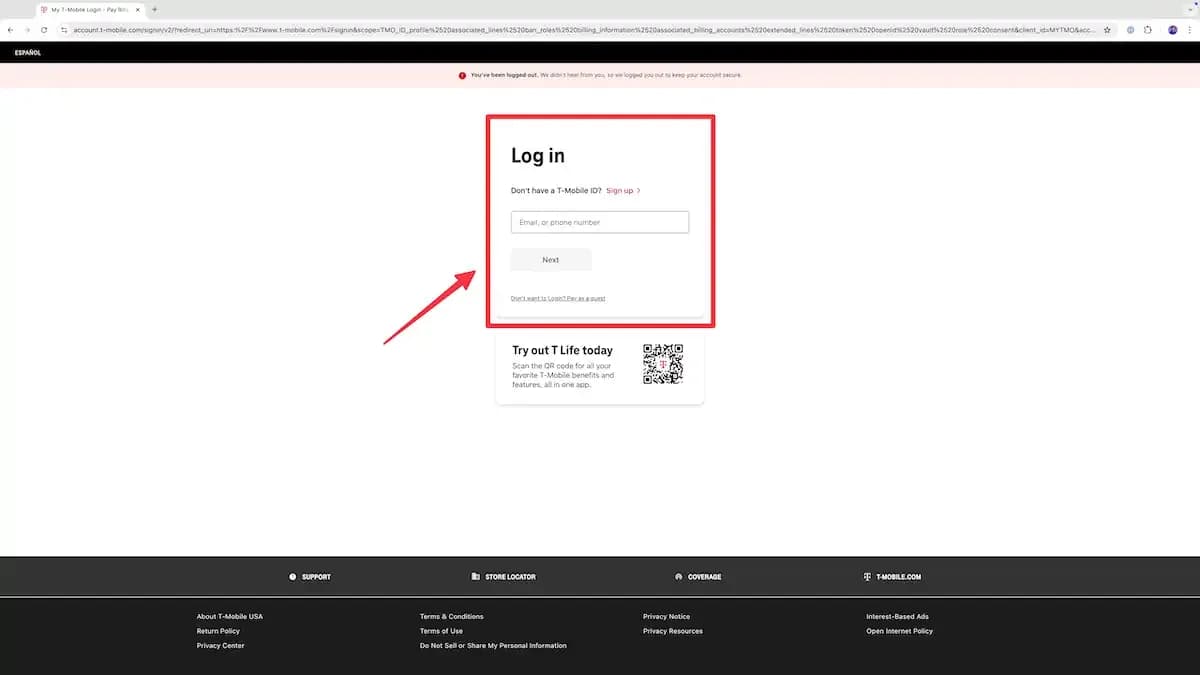
Step 7: Confirm your identity by entering a two factor authentication code sent to your T-Mobile number.
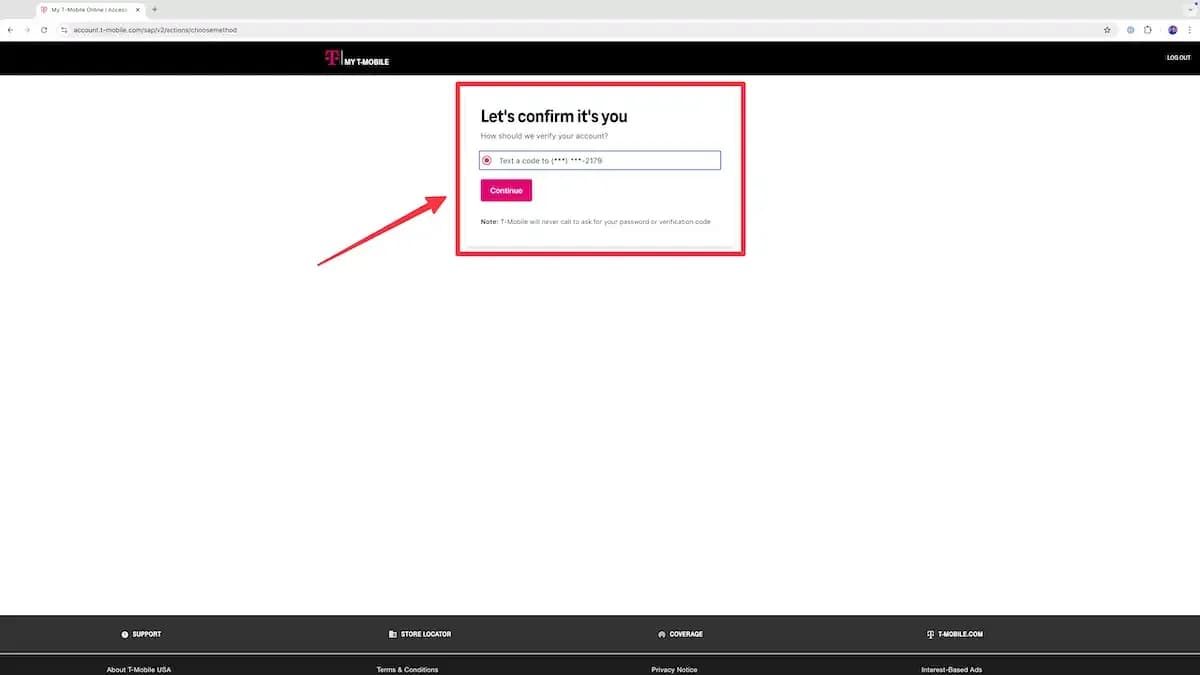
Step 8: Click Get a transfer PIN.

Step 9: T-Mobile will generate a temporary six-digit transfer PIN for you. Your transfer PIN will be valid for 7 days after it is first generated. If you do not transfer your phone number within that time, you will need to get a new transfer PIN.